Overview
Secure · Contain · Read
SCP Docs is an unofficial fan-made reader for SCP-related materials published on the open internet, including Wikidot-based sites. It collects archive entry points, reading state, library views, and search into a native iOS workspace so you can return to reports you were reading without rebuilding your trail in a browser.
Design rationale
Native first, platform aware
SCP Docs is not a generic web wrapper. The current release is a native iOS app built around Apple frameworks, with SwiftUI-driven surfaces for navigation, archive lists, settings, and reading tools. Scrolling, navigation, haptics, and accessibility are shaped to feel like part of the platform.
The officially distributed client is currently iOS only. There is no announced Android release date. If another platform is considered in the future, the intent is to follow that platform's native UI and lifecycle patterns rather than ship one shared shell everywhere.
- Fan project — SCP Docs is independent from the SCP Foundation, Wikidot, Inc., and the operators of referenced sites.
- Reader layer — article bodies are opened from their public source URLs through an in-app WebKit reader; source sites and licenses remain authoritative.
App shell
A four-tab workspace for reading
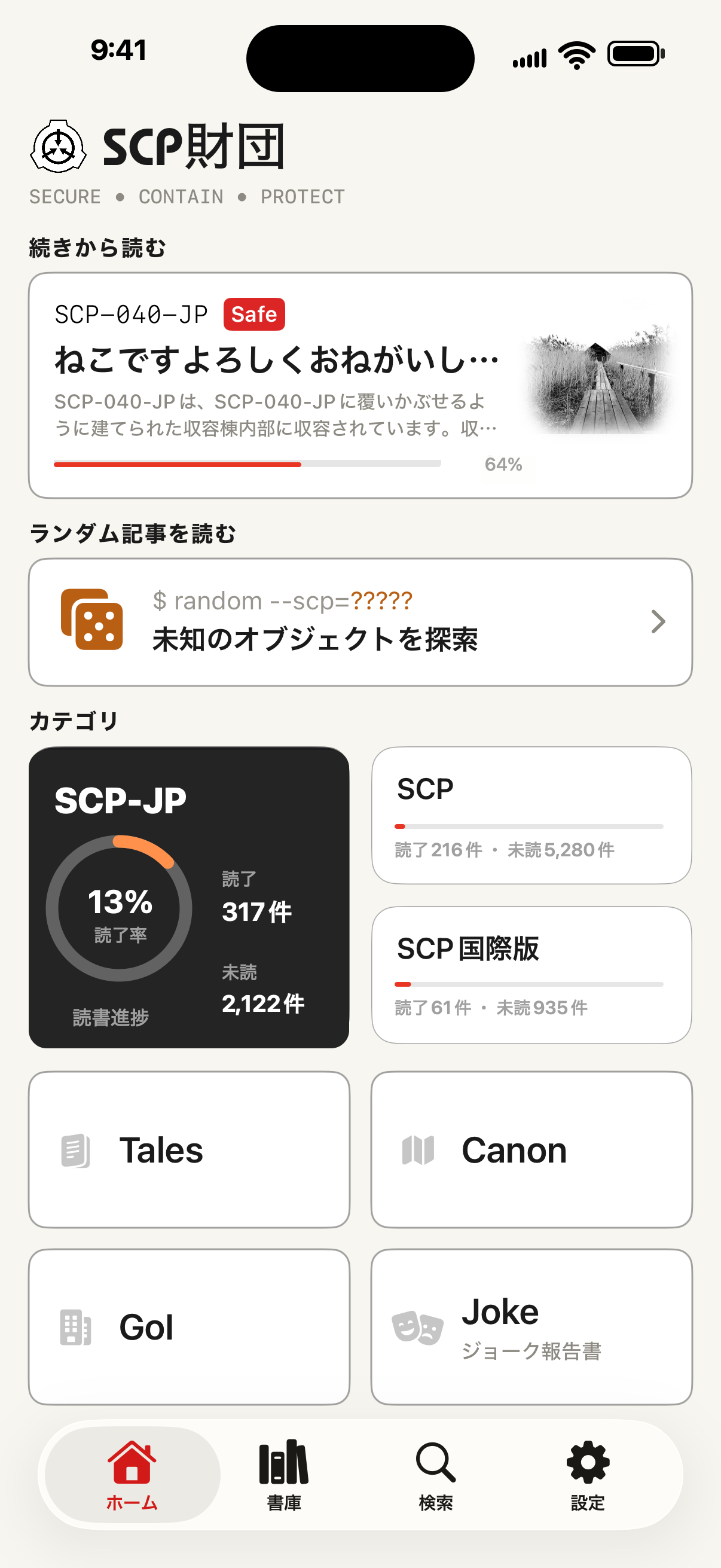
The main app is organized around Home, Library, Search, and Settings, with reading state carried across the archive surfaces.
- Home
- Branch context, archive entry points, category tiles, random discovery, and direct jump tools.
- Library
- Favorites, history, read-later, ratings, and structured archive routes for Tales, GoI, Canon, Joke, and related lists.
- Search
- Catalog search across synchronized metadata, including title, tags, object class, memo, and reading state where available.
- Settings
- Interface language, appearance, reader behavior, catalog refresh, data controls, premium status, and legal links.
Reading surface
Articles open in an in-app WebKit reader with reader controls layered around the source document: theme treatment, typography options, navigation tools, and offline snapshots for saved items.
The interface uses flat planes, hairline borders, and a restrained Foundation Terminal tone.
Content scope
Branches and catalogs
SCP Docs provides entry points for the Japanese branch, the English SCP Wiki, the French Branch, and international hub content where catalog data is available. Catalog manifests are fetched from hosted JSON data, cached on device, and used for lists and search.
- SCP reports — series-based report lists and metadata-assisted title resolution.
- Multi-form archives — Tales, GoI, Canon, Joke, and related manifest-driven lists.
- Tag maps — support data for tags and object-class-oriented discovery where available.
Engagement
Reading state and personal library
Each article URL can be associated with scroll progress, ratings, favorites, read-later status, and history on your device. This powers return-to-reading flows and personal library views.
Premium features may expand the archive workflow with offline snapshots, broader search, memo features, and higher save limits. See in-app descriptions and purchase screens for the current offer.
Requirements
System requirements
- OS — built for iOS 17 and later.
- Network — required for catalog refresh, online article viewing, external pages, ads, and purchases.
- Accounts — no SCP Foundation or Wikidot account is required to use the app.
Legal
SCP Docs is an unofficial fan application. Source articles, copyright notices, and licensing terms belong to their respective authors and source sites. SCP-related works are commonly published under Creative Commons BY-SA 3.0, but the source page remains authoritative.